 RentaDiary
Utility billing management
Tenant electricity and water billing, without the calculator
Enter the previous and current meter readings and RentaDiary works out the usage and the charge, using the rate you set. Or bill a fixed monthly amount. Your choice, tenant by tenant.
Free plan available. Works on the web and on Android.
Where utility billing goes wrong
Utilities are the part of a rental bill most likely to start an argument. The rent is fixed, but the electricity and water change every month, and they depend on a reading somebody took, a rate somebody remembered, and a multiplication somebody did.
Disputes usually come down to proof. Was the reading right? Which rate was used? RentaDiary keeps the readings, the rate, and the result together on the bill, so you have an answer ready.
Two ways to bill each utility
Electricity and water are set up separately for each tenant.
Meter-based
FreeEnter the current reading. RentaDiary subtracts the previous reading, multiplies the usage by your rate per kWh or per cubic meter, and shows the total.
Fixed monthly amount
FreeCharge the same electricity or water amount each month, which suits rooms without a sub-meter or where you split a shared bill yourself.
Switch a utility off
FreeIf you do not bill water or electricity at all, turn it off in Billing Items and it is left off new bills.
Set your rates once
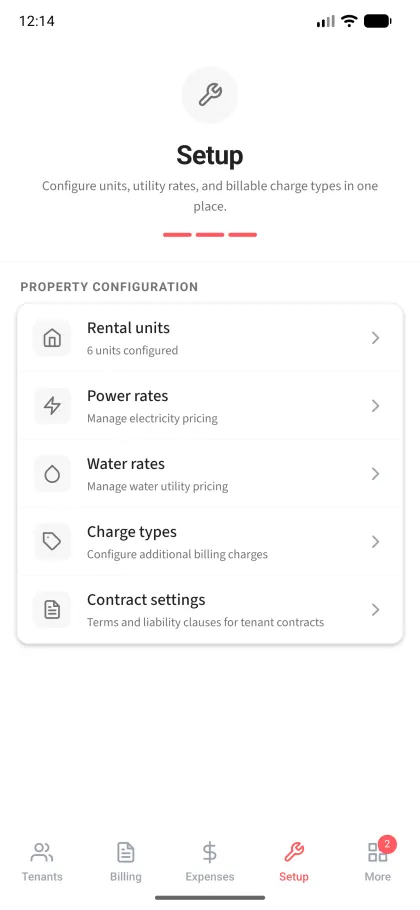
Under Setup, enter your electricity rate per kWh and your water rate per cubic meter, each with a date. The most recent rate is used on new bills, and the rate history stays on record when a rate changes. If you change the rate while creating a bill, the app saves it and uses it for the next billing.
A worked example
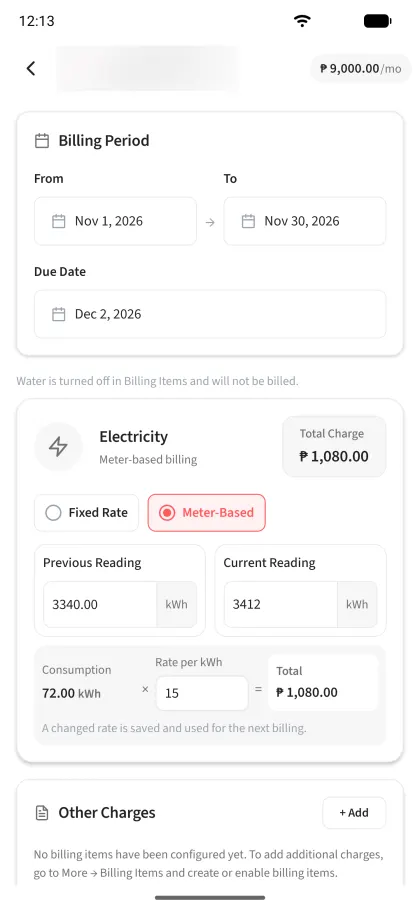
Electricity for one tenant (from the demo bill above)
| Previous reading | 3,340 kWh |
|---|---|
| Current reading | 3,412 kWh |
| Usage (current minus previous) | 72 kWh |
| Rate per kWh | ₱15.00 |
| Electricity charge (72 × ₱15) | ₱1,080.00 |
Water works the same way with cubic meters. For example, a usage of 10 m³ at ₱40 per m³ would be ₱400. The rates here are examples, not recommendations.
The same figures then appear on the billing statement the tenant receives, alongside the unit rent and any other charges.
Take readings on your rounds
On a bill you can attach a photo of the meter as a record of the reading. For properties with many meters, the meter reading walk lets you go from unit to unit, record each reading with a photo, and bill from those readings afterward. The meter reading walk is part of the Plus plan.
Each tenant record also stores the electric and water meter IDs, so you know which meter belongs to whom.
What it does not do
- It does not read meters or connect to your utility company. You enter the readings.
- It does not look up rates. You enter your own electricity and water rates.
- It does not automatically split a main meter among several tenants. Use a fixed share for each, or sub-meters.
- Utility charges are only as accurate as the readings and rates you enter.
Frequently asked questions
How does RentaDiary calculate an electricity bill?
It subtracts the previous meter reading from the current one to get usage in kWh, then multiplies that by your rate per kWh. The result is added to the bill.
Can I charge different tenants differently?
Yes. Each tenant can be on meter-based or fixed billing for electricity and for water independently.
What if my electricity rate changes?
Add the new rate with its date under Setup. New bills use the latest rate. You can also change the rate while creating a bill, and the app saves it for the next billing.
Can I bill only electricity and not water?
Yes. Switch water off in Billing Items and it will not be billed.
Is the meter reading walk free?
It is part of the Plus plan. On the Free plan you enter readings on each tenant’s bill.
Stop recalculating utilities by hand
Set your rates, enter this month’s readings, and let RentaDiary do the arithmetic.